

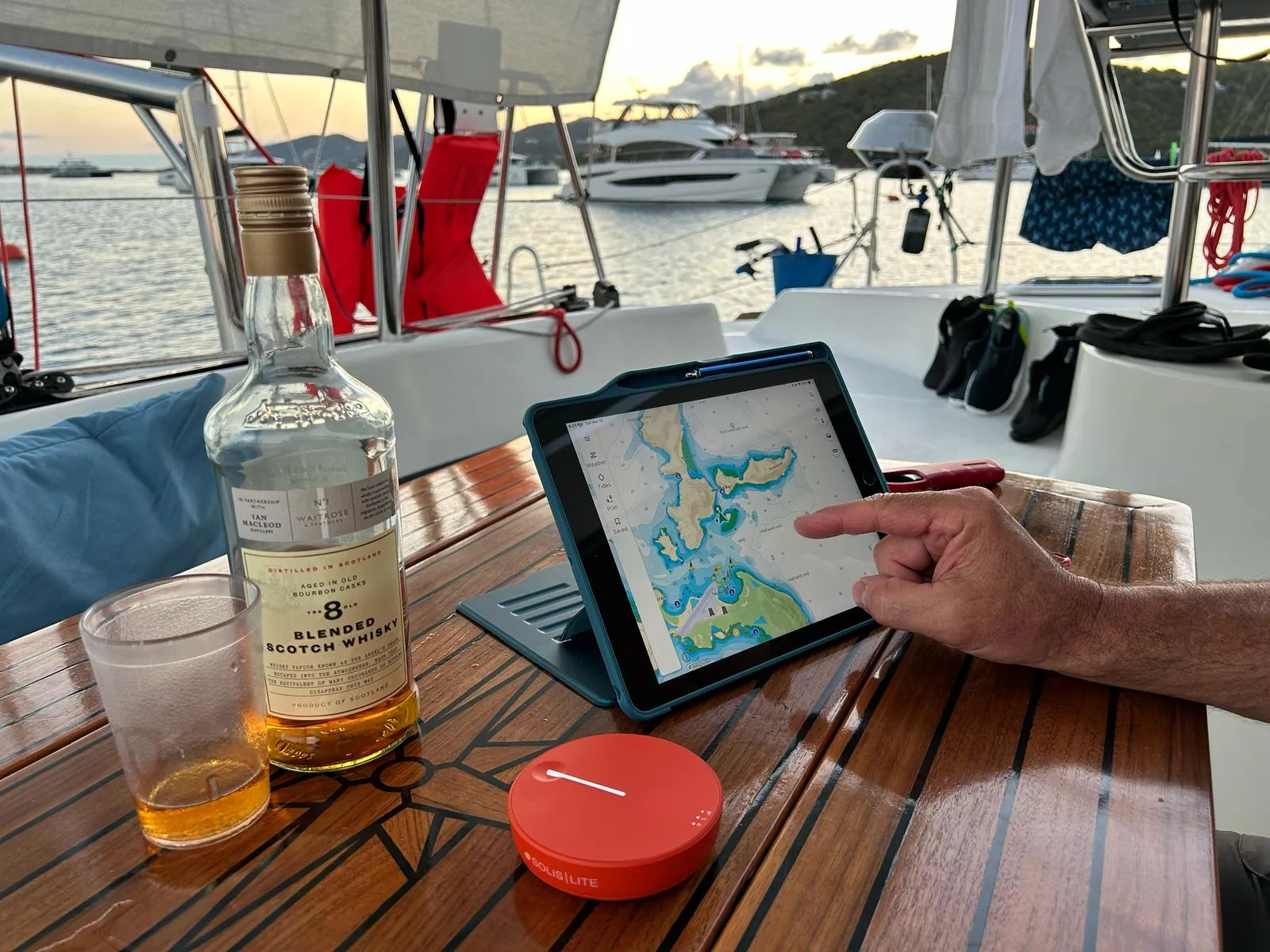
Today, there are many ways to stay connected from almost anywhere in the world, even in the middle of our vast oceans, thanks to satellite technology such as Starlink and various other internet provides. If I was a permanent liveaboard sailor, traveling the world’s oceans, with extended periods of time away from land, I would definitely consider those options.
Having said that, however, like me, I suspect most readers are never too far from land and find their current data plan covers their regular day to day needs more often than not.
This is true for me, except while travelling outside Canada and the U.S. Of course, buying SIM or eSIM cards, extra data and/or paying roaming fees is an option, albeit a somewhat expensive one. I did use a SIM card last year while in Europe but found the process somewhat cumbersome. Although it seems to be a popular option for many.
But, like most people, I seek out Wi-Fi services provided by local marinas, restaurants, hotels, airports, etc. Most times, this involves asking for a password and may require making a purchase as most retailers, understandably, offer their Wi-Fi to patrons.
Safety and Convenience
Not to be neglected however, is the safety of any public or free Wi-Fi services. Unfortunately, we simply can not ignore the fact that hackers, worldwide, are hard at work trying to steal our identities and assets. So, free Wi-Fi does come with its own risks.
I certainly have no issues when sailing my own boat in home waters. But when I do sail in tropical destinations, it is on rented sailboats, known as bareboat sailing. These boats are not equipped with internet providing systems. So, staying connected is a little more challenging in the sense that I must wait to arrive in a harbor or marina, go ashore and seek out Wi-Fi.
But what if I don’t want to leave comfort of the boat? In comes the advantages of a mobile hotspot device.
What are Mobile Hotspots?
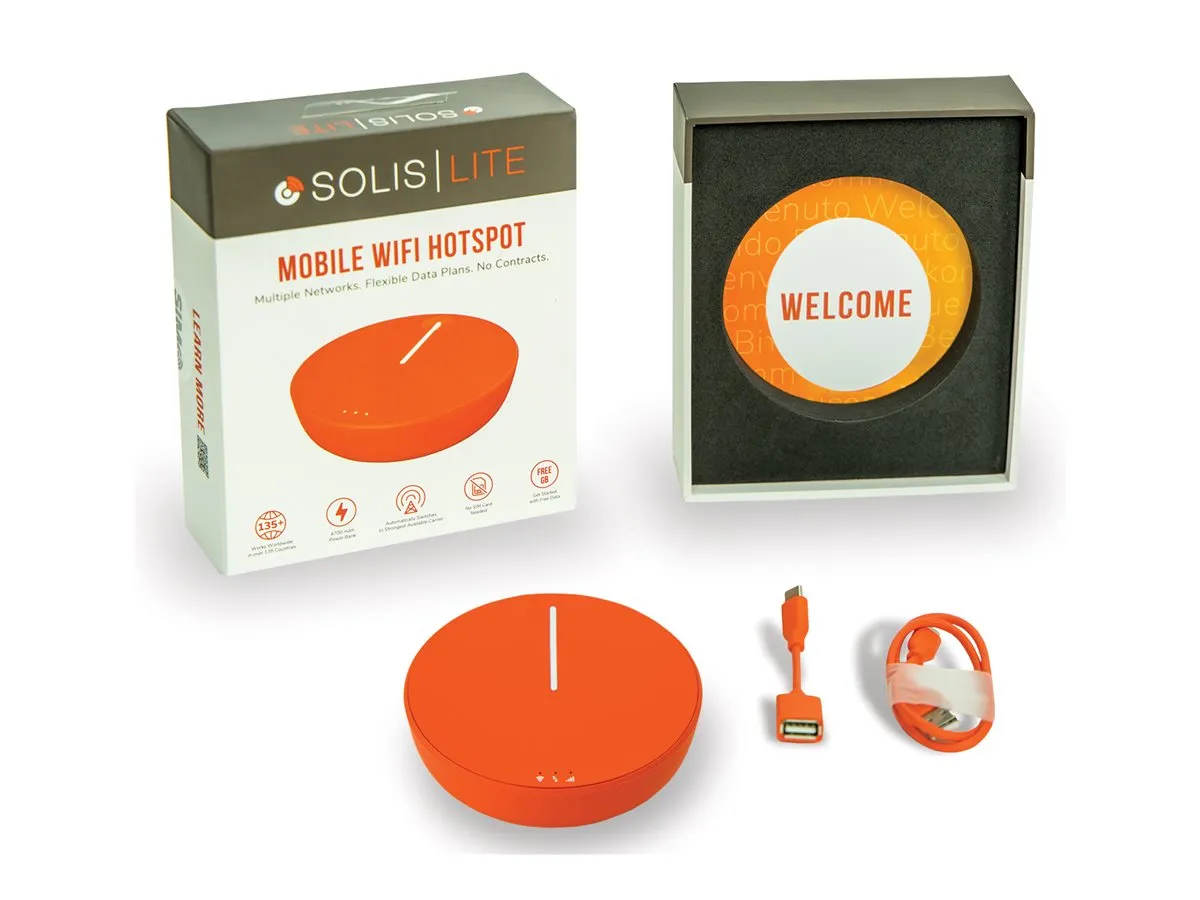
In very basic terms, mobile hotspots are pocket-sized devices that you turn on as needed. Once on, it will search for the closest and strongest Wi-Fi signal, and basically piggyback onto it, but with the safety of your very own password protected hotspot.
This means you no longer need to ask for passwords or purchase food and drink, and you keep your phone and devices on airplane mode, thus avoiding expensive roaming charges. Simply keep your devices on Wi-Fi and connect to your mobile hotspot device. Most mobile hotspots will let you connect up to 10 devices.
Having researched many mobile hotspot devices on the market, all with their own merits and satisfied customer reviews, for the purposes of this article, I selected and purchased the Solis Lite mobile hotspot by Simo. (See below for other brands and models I researched). As always, I did not get anything from Solis and I fully paid for my own device.
Full disclosure, besides the great consumer reviews, I was also encouraged by my sister and brother-in-law, who got the Solis Lite a few months ago, and shared their own satisfactory experience. Many other brands and models offer extra data packages if and when you need more. I like the Solis Lite because it also came with 1 GB of data per month for life. But if that’s not enough for a specific trip or time frame, you can also purchase extra GB packages. There are many packages and options to choose from. The other reason I like this particular model is that there is no screen or monitor. All the information is available on the app screen, which you can view from your phone or tablet anytime. Once you arrive in harbor, or anywhere really, if you need to get connected, you turn on your mobile hotspot device and wait a few minutes for it to acquire a Wi-Fi signal. Once it has done so, you search the Wi-Fi networks on your phone or device and select your mobile hotspot’s name. Enter your hotspot device’s password. By saving that password onto your regular devices, you will connect automatically every time. You are now connected to Wi-Fi and can go about your business as you would any other time. Hint: You can save battery life and data by closing all applications you are not using, including Bluetooth. My mobile hotspot device, the Solis Lite comes with a lifetime 1 GB per month of data. But I can also purchase extra GB from many available data packages. In my case, I’m sailing in the Caribbean for 10 days, so I purchased a 10 GB package, which will never expire. So, if I only use 4 GB during this trip, the remaining 6 GB will always be there in the future. Note that data is mostly needed if streaming videos and such is in your plan. But if you’re only accessing emails and various websites, not much data is required. In my case, it will be used it for emails and the BoatyBall website to prebook mooring balls at my next destination. I will also use WhatsApp to make phone calls and send the occasional message and pictures. Another point to mention is the fact that in the BVIs, we will never be out of sight of the islands. So, if needed, we will often have available Wi-Fi while under way. But if we were sailing further offshore, far from land, then we would be out of range. As with any new battery-operated device, start by charging the mobile hotspot for about 12 hours right out of the box. Sounds basic, but the number one cause of poorly performing battery charge cycles on devices is neglecting the all-important initial charge, where, in basic terms, the battery learns what a full charge is. After charging, it’s time to set up the device. Download the Solis app, available on both Apple Store and Google Play, and select “Sign up” and follow the simple six step instructions. Once this set-up is complete, you are now set to use your mobile hotspot anytime, either when you are out of the country or outside your data plan area. As long as the device can acquire a Wi-Fi signal, you can connect to your mobile hotspot. From the Solis App screen, I can monitor the remaining data, Wi-Fi signal strength, seek out a stronger Wi-Fi signal if needed, battery level, etc. In my case, as I mentioned before, I am using it in the British Virgin Islands while moored or anchored in various bays. The primary use is to use the BoatyBall site to prebook a mooring ball at our next destination, so we can avoid rushing and enjoy our day sailing or visiting other spots on the way. I may also use the mobile hotspot to make calls, using WhatsApp to call local restaurants for reservations or call home and do the occasional research on other possible ports of call while in the BVIs. The mobile hotspot device itself can also be used as a battery back-up for your other devices. Fully charged via USB, it can last up to 16 hours. A quick search for mobile hotspots devices on Amazon will reveal many different brands, models, sizes and features—all are between $100 ($70 USD) and $400 ($280 USD). My Solis Lite cost $211($147 USD) and includes a lifetime 1 GB of data every month. It is compact, light and easy to carry in my pocket and is also a back-up battery for my other devices. This is a one-time cost and can be used in over 140 countries and still counting. Since I will only need to use it sparingly, I think it’s a great deal. But, as I mentioned above, I did purchase a 10 GB data package which cost $130 ($91 USD), which will not expire. So that package should last me a long time. It’s not just for use when on the water! Last month, while in the Dominican Rebublic, we used it a few times, it took less than five minutes to call an Uber ride to pick us up at the grocery store. Not having to chase around for a Wi-Fi network and ask for a password was very practical. We also used it to make a call on WhatsApp to let our friends know we were on our way back with survival necessities—mojitos anyone? Note: All dollar amounts stated are approximate in Canadian dollars, unless specified otherwise.
Solis Lite
How Do Mobile Hotspots Work?
Data Packages
Easy Set-Up

Charging
Solis App
Uses While Coastal Cruising
Cost







These devices do not piggyback off of another wifi network somehow not needing the wifi password. They connect to phone networks, and while they are 5G capable, you will need good phone reception on a 5G network to connect, which is often not available, limiting speed. They work the same as turning your cell phone into a mobile hotspot, just with very different data plans. They are often good choices, but in areas where no 5G network is available, expect slow speeds.
Hi Mark. Excellent article. Just one comment: the Solis do not connect to the wi-fi networks at marinas or near coast. It actually connect to celular networks providing 4G and LTE services. The Solis is engineered to connect to a vast range of celular frequencies making it able to work with almost any mobile carrier in the world, and the company behind it, SIMO, has premade arrangements for roaming such as the customer has a seamless iteration with the system. It is for sure the best way to work, allowing you to use it anywhere there is celular coverage.
Hey Nelson, you are being way too kind to the author. Talk about a world flooded with misinformation! Something to think about come the next subscription renewal.
Let’s be very clear here: these mobile hotspots connect to the internet via a CELLULAR signal and they then provide a local WiFi signal so that nearby devices can connect to the internet.
The DEVICE (Simo/Solis, GlocalMe, RoamWiFi) does NOT search for and connect to WiFi signals, so this statement “As long as the device can acquire a Wi-Fi signal, you can connect to your mobile hotspot,” is simply WRONG. While a mobile hotspot can be a useful device, it is nothing more than a cellular modem without the screeching and squealing of the conventional POTS modems of the 80s and 90s.
The author writes of wanting to avoid “cumbersome” SIM or eSIM cards. All these devices do is come with a prepackaged SIM card. And at a hefty price. We just purchased a BTC (Bahamas TelCo) SIM for $16 dollars. A 7gb/30-day data-only plan is $32. A used Android or iPhone is considerably less expensive than any of these hotspots and will work just as well.
For the cost of these hotspots, one should consider a cellular modem which can be fitted with an external antenna for greater range and stronger signal. This also allows purchasing a local data plan that can be less expensive than the plans offered by the hotspot providers.
This article demonstrates a fundamental misunderstanding of the technology involved and sadly further diminishes the value of a subscription to PS.
IT CONNECTS TO EXISTING CELLULAR DATA NETWORKS THAT IT HAS AGREEMENTSWITH, NOT TO “WIFI”!
I’m glad to see that PS is getting into topics like this. Cellular hotspots are an interesting option. Other options in this area include cell boosters (like the Shakespeare Stream) and wireless routers (like those from Peplink and Teltonika). The wireless routers are interesting because they can connect to cellular networks by sim card, or marina wifi, and automatically failover from one to the other. Add an external antenna and range (for either wifi or cellular) can be extended quite a bit. There are a lot of options and quite of bit of complexity (particularly if you are looking for something that will work worldwide). It would be nice for PS do some in-depth reviews of this kind of tech. There’s a lot available in the RV world, but not as much on the marine side.
Hello all. It is pretty clear that the author made a mistake on his assessment of the technology but his point is good and I agree with it. Using a cellphone as your hotspot is pretty much standard. However it requires for one to purchase a local SIM card, swap it on his/hers phone (or if a eSIM is available switch the main line for data) It is not difficult but cumbersome for sure.
If you travel for a couple weeks to one destination, don’t worry, it is not worth. But if you sail around the world, it is definitively worth a try às it works on many ports and countries with one set up.
BTW these are systems designed for travelers and not for sailors. If you would be touring Asia or even Europe, this could be a good bet.